Two Ways to Try Fax Echo
Option 1: Test Fax Echo with TestFlight (Demo Mode)
Use our TestFlight demo version to evaluate Fax Echo for up to 30 days. Ideal if you want to:
- Explore the UI and workflow risk-free
- Validate internal processes before rollout
- Test without provisioning an eFax Corporate account
Requirements:
- An iPhone or iPad
- A valid email address used for your iOS device's Apple ID for TestFlight access
- Apple’s TestFlight app
Important: The TestFlight version uses a shared demo eFax Corporate API account. Please do not send or reply to more than 50 faxes. Excessive usage may result in temporary suspension of demo access. No credit card is required.
TestFlight Free Trial – Data Visibility Warning
During the TestFlight free trial, all trial users access a shared eFax Corporate demo account.
Do NOT send or receive fax documents containing confidential, sensitive, or private information (including but not limited to legal, medical, financial, or personal data) while using the trial. Fax documents sent or received during the trial may be visible to other trial users.
If you use your own eFax Corporate account, your fax documents are private and accessible only to your account. Other users will not be able to view them.
TestFlight Version Access Request Form
*Requires your iOS device's Apple ID email address.
Option 2: Download from the App Store (Production Use)
Fax Echo is now officially available on the Apple App Store. The subscription includes a 30-day free trial. Recommended if you:
- Plan to use Fax Echo in daily operations
- Require production-level fax usage
- Are ready to connect your own eFax Corporate account
Requirements:
- An active eFax Corporate API account
- Your eFax Corporate credentials
Note: Fax Echo does not sell fax numbers or accounts. eFax Corporate services are provided by Consensus Cloud Solutions or its partners.
Important Trial & Subscription Notice
If you start your trial by installing the production version of Fax Echo from the App Store, your subscription is managed entirely by Apple.
If you forget to cancel before the trial ends and the subscription auto-renews, Fax Echo cannot cancel or refund the charge on your behalf. In that case, you will need to contact Apple Support directly to request assistance with billing or refunds.
To avoid unwanted charges, please cancel your subscription at least 24 hours before the auto-renewal date using one of the following Apple-managed methods:
- Within the Fax Echo app: Settings → Manage Subscriptions → Manage Subscription
- Or via your Apple ID: Apple ID → Subscriptions
Your eFax Corporate account must be canceled separately. Contact your eFax Corporate reseller or Consensus Cloud Solutions.
Getting an eFax Corporate Account
To fully use Fax Echo without restrictions, you will need an active eFax Corporate API account. You don’t need to contact us directly.
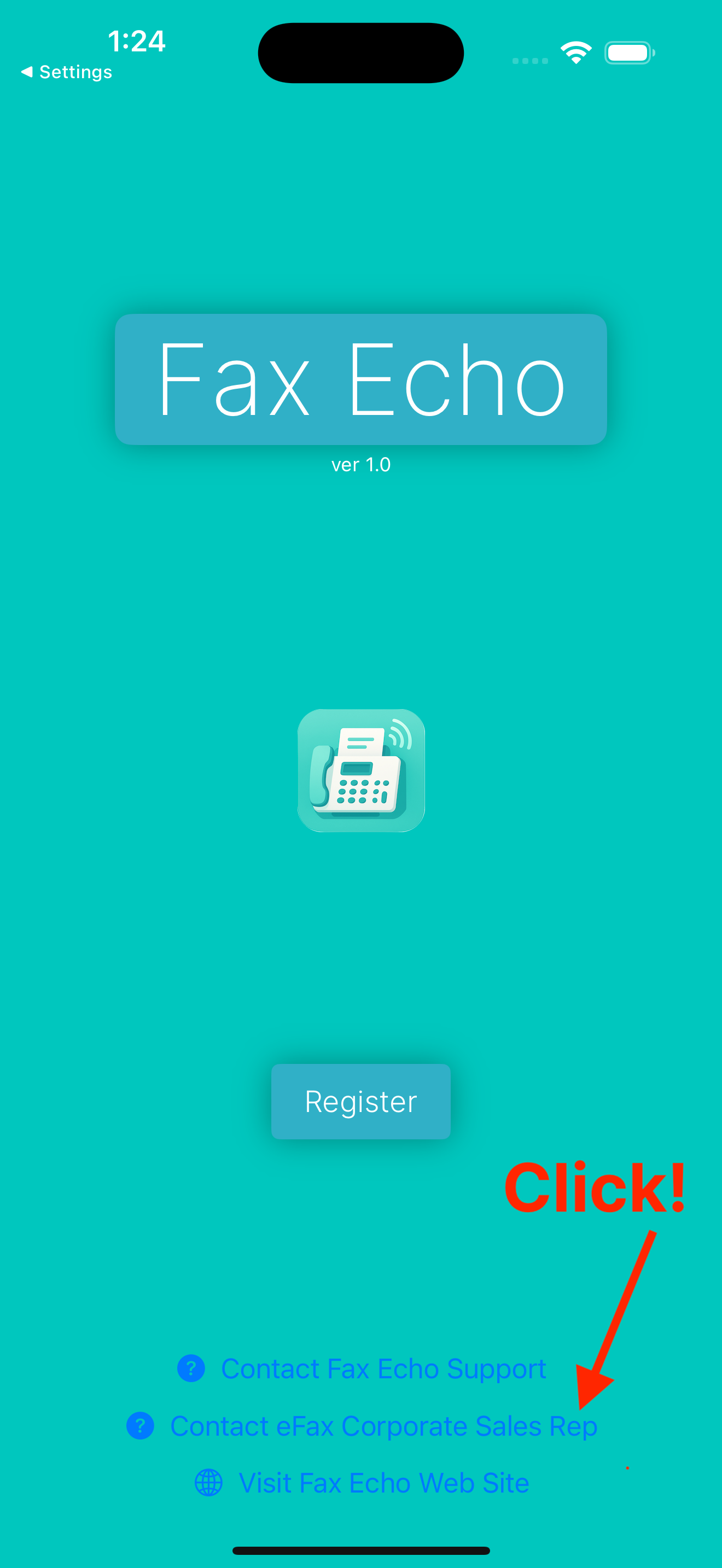
Simply install the TestFlight demo or App Store version of Fax Echo. From the login view, use the "Contact eFax Corporate Sales Rep" link to reach the appropriate sales or reseller representative based on your location.
This ensures you get proper setup directly from Consensus Cloud Solutions or its authorized resellers.